
Branding Ghost Solo Without Touching a Theme File
I branded Ghost's Solo theme using only Admin settings and Code Injection CSS — no fork, no merge conflicts, no maintenance. Palette, typography, icon design, and 600 lines of CSS, all built with Claude Opus.
TL;DR: I branded Ghost's Solo theme using only Admin settings and Code Injection CSS. No theme fork, no custom templates, no maintenance overhead. The whole project — palette, typography, icon design, 600 lines of CSS, an implementation guide — was built with Claude Opus. I directed. Opus built. Complete source files on GitHub.
The starting point
I had a Ghost blog running on Coolify with Cloudflare in front and Google Fiber underneath. Stock Casper theme. One post published. It worked, but it looked like a default install — because it was.
I wanted it to look intentional. But I also didn't want to fork a theme and own the merge conflicts forever. Ghost publications like 404 Media and Platformer look polished and distinctive, but the platform underneath is the same one I'm running. The differentiator isn't the technology. It's the brand work on top of it.
So the constraint was: Ghost Admin settings + Code Injection only. No theme files edited. Anything I build survives Ghost updates and theme updates without rework.
Why Solo
I asked Opus to research Ghost themes — both free and premium. It looked at options from Aspire and Bright Themes, evaluated the official free themes, and came back with a recommendation: Solo. Built for individual writers, maintained in the TryGhost/Themes monorepo alongside Ghost's other official themes, gets updates automatically. Free, official, and since we had AI doing the heavy lifting on CSS, the shortcomings of a free theme didn't matter much. We could override whatever we needed to.
The tradeoff with Solo is that its defaults are designed to look impressive on a demo page. Everything is oversized — the hero title, the card titles, the spacing, the footer. Great for a first impression in a theme showcase. Not great for a site people would actually sit down and read.
Craftsman Modern
I landed on a palette and type system I'm calling Craftsman Modern. Warm parchment background, copper accent, DM Sans for body and headings, DM Mono for code and dates. The vibe is warm workshop, not cold SaaS.
For the icon, I wanted something subtle. infer.blog isn't in-your-face about AI — "infer" is a word that works whether you're in the AI world or not. Inference is a core concept in machine learning, but it's also just a word people use. I wanted the logo to work the same way. If you take a second to think about it, the connection is there. If you don't, it still feels right with the name.
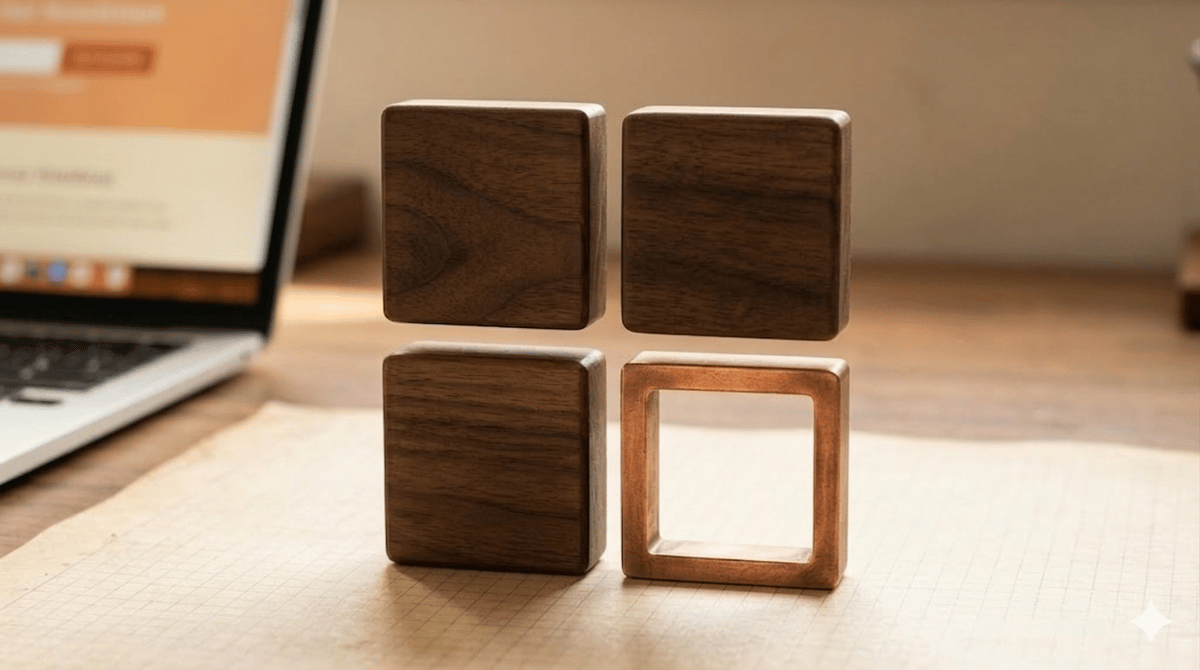
Opus designed a grid of four squares — three filled, one empty with a copper stroke. I'm calling it the Missing Piece. It reads like a matrix, which is another quiet nod to ML. And the missing piece itself ties into the blog's premise: there's always something left to figure out. But none of that is loud. You'd have to be paying attention.
infer.blog — Logo Export (open in browser, screenshot each variant)
How to export: Right-click each logo box → Inspect → select the .export-box element → right-click the node in dev tools → Capture node screenshot (Chrome/Edge) or Screenshot Node (Firefox). This gives you a pixel-perfect PNG with the real DM Sans font. The PNG files included in the package use Liberation Sans as a close approximation.
Opus built the logo PNGs, SVGs, and favicon at multiple sizes. It also generated an HTML file that renders the wordmark in real DM Sans from Google Fonts so I could screenshot pixel-perfect versions. The PNGs that actually shipped use Liberation Sans as a proxy because Google Fonts wasn't reachable from the build environment. At nav bar scale, nobody can tell.
Before writing any CSS, I had Opus build a full HTML mockup of what the branded site should look like. Homepage, article view, mobile viewport. This became the reference we worked toward for the rest of the project.
Learning Without Labels
Debugging the Invisible: Nemotron on OpenClaw
First Post — It's Alive
The $0 Blog Stack: Ghost, Coolify, and Cloudflare
Article Reading View
Where readers spend 95% of their time. Full post layout with your actual content, code blocks, and the subscribe CTA at the bottom.
Debugging the Invisible: Nemotron on OpenClaw
The motivation was simple enough: NVIDIA released Nemotron 3 Super, and free inference was available across NVIDIA NIM, OpenRouter, and Kilo. I wanted to wire it into Cass, my Discord AI agent running on OpenClaw, using LiteLLM as a proxy layer.
What followed was a debugging arc that surfaced two silent bugs — the kind that don't throw errors, just quietly produce wrong output. Claude wrote all the code throughout these sessions while I directed architecture decisions, debugging strategy, and verification work.
Bug One: The Silent Role Drop
The first bug: OpenClaw was sending system prompts as role: "developer", which non-OpenAI providers silently drop. No error, no warning — the model just never received its instructions. The fix was two compatibility flags:
Bug Two: The Duplicate Stream
The second bug was subtler. NVIDIA NIM was duplicating reasoning tokens into both reasoning_content and content fields during streaming, causing blank responses in OpenClaw. The model would think through the entire problem correctly, then output nothing — because every token had already been consumed by the reasoning phase.
The fix was a custom ReasoningGuardrail extending LiteLLM's CustomGuardrail, registered as a post_call hook that deduplicates the stream by suppressing content during the thinking phase and suppressing reasoning fields when the answer begins.
The full guardrail code, LiteLLM config, and README are on GitHub at cassthebandit/nemotron-openclaw-fix. The final deployed stack runs four model backends switchable via Discord slash commands, with LiteLLM running as Docker alongside Postgres and Prometheus.
Enjoyed this?
Get new posts delivered to your inbox. No spam, no noise.
Mobile Viewport
Same homepage at ~375px width. Solo is responsive by default; the Code Injection CSS will respect that.
Learning Without Labels
Debugging the Invisible: Nemotron on OpenClaw
First Post — It's Alive
Making it real
The first round of CSS Opus wrote was surface-level — font overrides, accent colors, border tweaks. On the live site, Solo's defaults were still showing through everywhere. We'd styled the surface but hadn't touched the structure. I told Opus to go deeper. It cloned the Solo repo, read through every stylesheet in the theme and its shared CSS library, and figured out that Solo uses responsive sizing for nearly every value. Once it understood the actual structure, the overrides started working. The card grid, the article layout, the homepage hero — all converted through CSS alone, no template changes.
Mobile had a problem that took a few rounds. Solo's header was rendering way too tall because the hamburger menu hides nav elements in a way that makes them invisible without removing them from the layout. The space was still allocated. Opus kept looking in the wrong place until I pulled up dev tools and sent screenshots of the actual computed layout. Once it had that, the fix came together quickly. There was also a Ghost version issue where a setting Opus referenced in the implementation guide didn't exist in the Admin panel — a recent Ghost update had collided with Solo's typography config. Opus tracked it down and we worked around it.
How we worked
Opus wrote every line of CSS, generated the logo assets, built the mockups, and produced a full implementation guide. I made the brand decisions — palette, typography, icon concept, layout direction. When Opus produced CSS, I deployed it to the live site and checked the result. When I needed to, I reviewed the code in dev tools and sent screenshots back so Opus could iterate. The whole project happened across a few sessions.
The interesting part wasn't the CSS. It was watching how fast the whole thing came together once the direction was clear. Brand identity, icon design, full-page mockups, 600 lines of production CSS, a step-by-step implementation guide, all the logo assets at every size Ghost needs. That's a project that used to take weeks with a designer and a developer. We did it in a few conversations.
The result
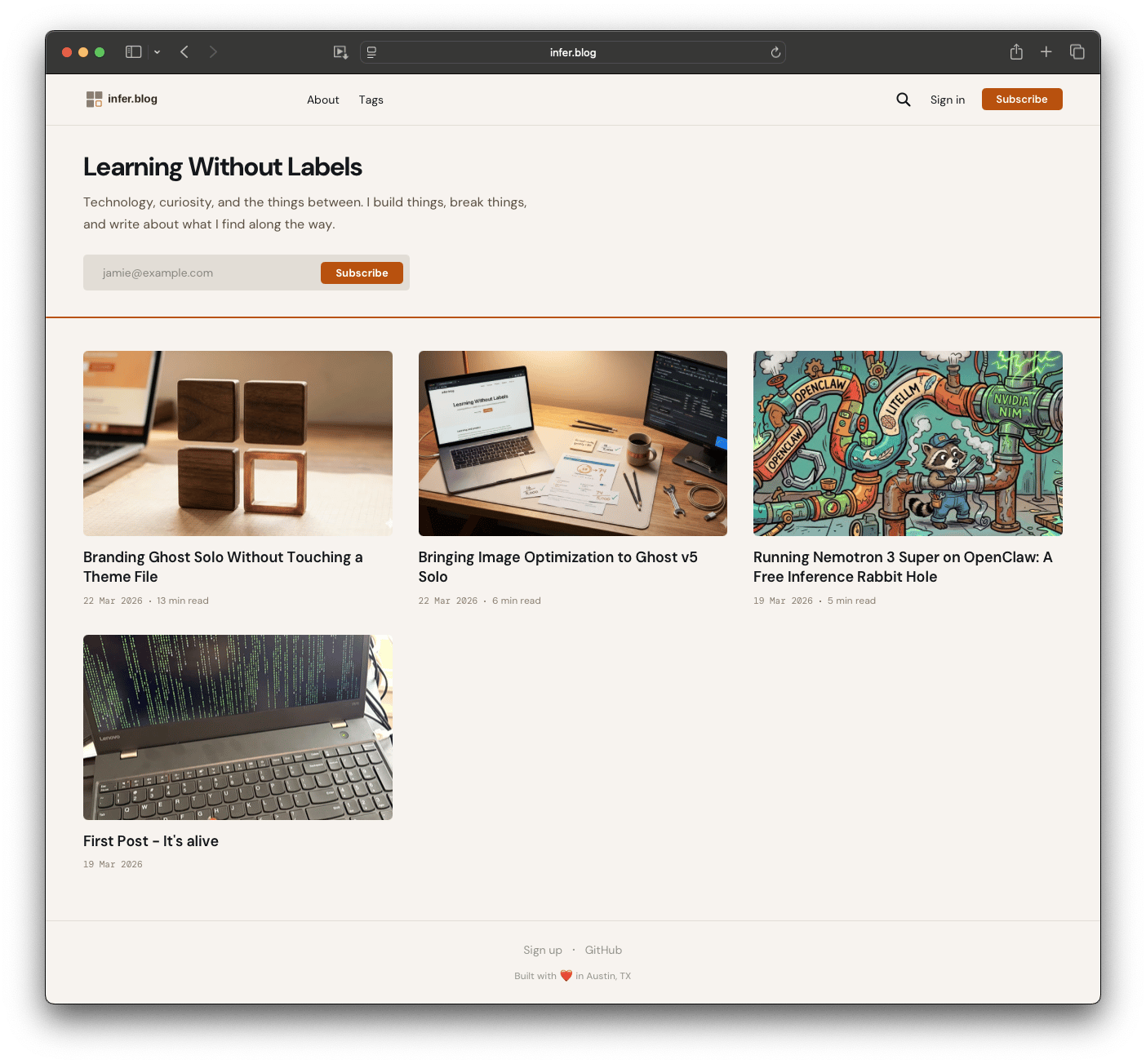
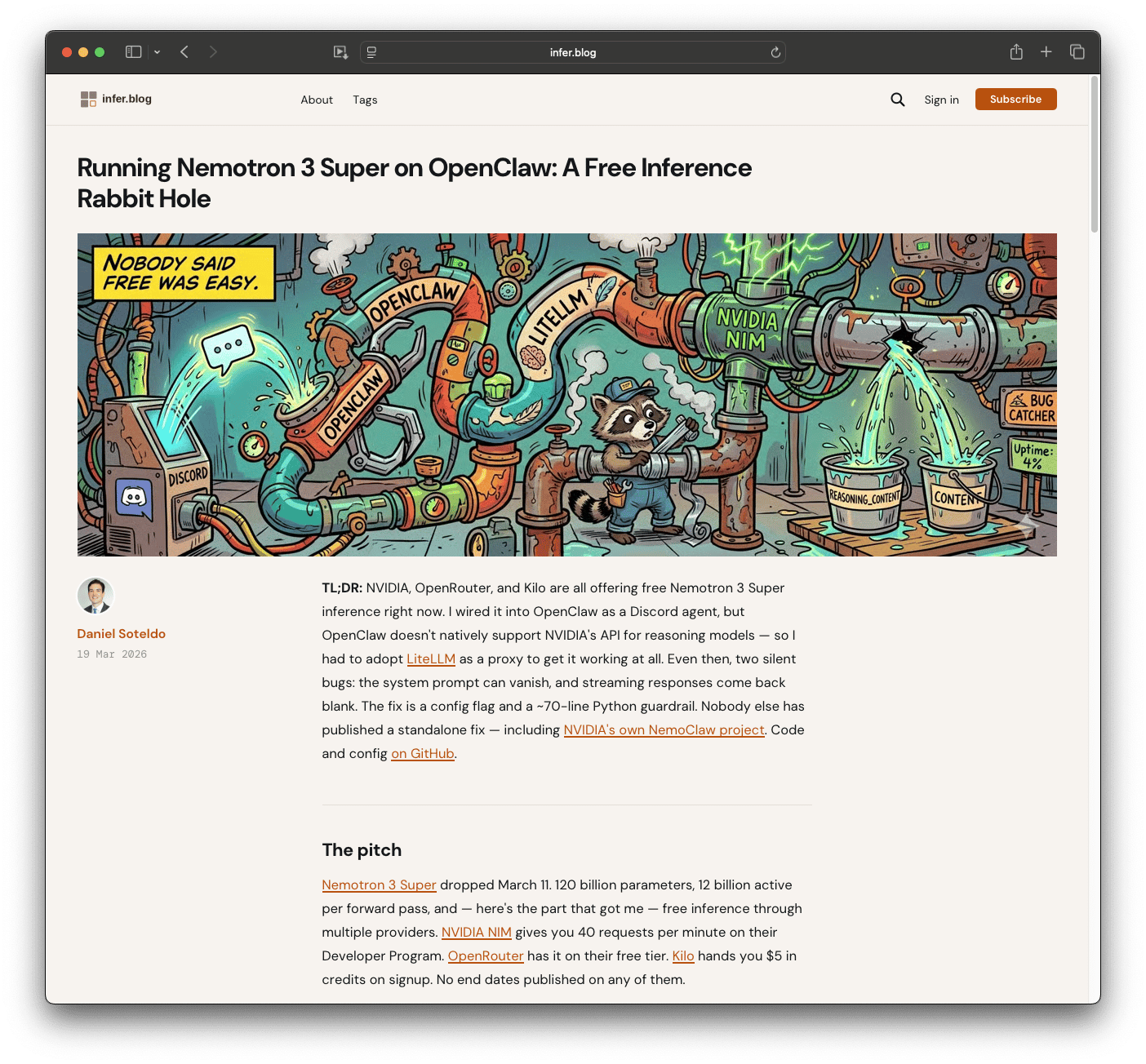
The finished site — homepage card grid and article reading view, all running through Ghost Admin settings and Code Injection CSS.
The complete Code Injection CSS, implementation guide, logo assets, and mockup files are on GitHub. If you're running Ghost and want to brand a stock theme without forking it, the approach and all the source files are there. The Nemotron post is the best example of the styling in action.
Built with Opus. Directed by me.
Daniel Soteldo is COO and Co-Founder of Revelus Dermatology in Austin, TX. He writes about the things he finds interesting — including the problems he solves along the way — at infer.blog.