
Bringing iPhone Live Photos to Ghost
Ghost can't handle Live Photos natively, but its Video card and Code Injection get you there. A conversion script, some CSS, and an IntersectionObserver turn short videos into photos that breathe.

TL;DR: Ghost can't handle Live Photos natively, but its Video card coupled with Code Injection can accomplish the same thing. The simplist approach is to use macOS's Quick Action to convert an MOV to MP4 and Ghost JS code injection. The result are photos that breathe by preloading, crossfading and respecting ghost's native looping functionality. The Safari browser is especially cantankerous, and more so if you're self hosting with Coolify. More details within. Full source on GitHub. See example below.
The Background
I take a lot of photos with my iPhone, and most of them are Live Photos — Apple captures 1.5 seconds of video on either side of the shutter tap. By long-pressing on any photo taken from your phone, you'll get a quick video that makes the photo come alive. I wanted that feeling on my blog. Not full video. Not GIFs. Just photos that breathe- subtle motion that makes a moment feel real without screaming "look at me, I'm a video."
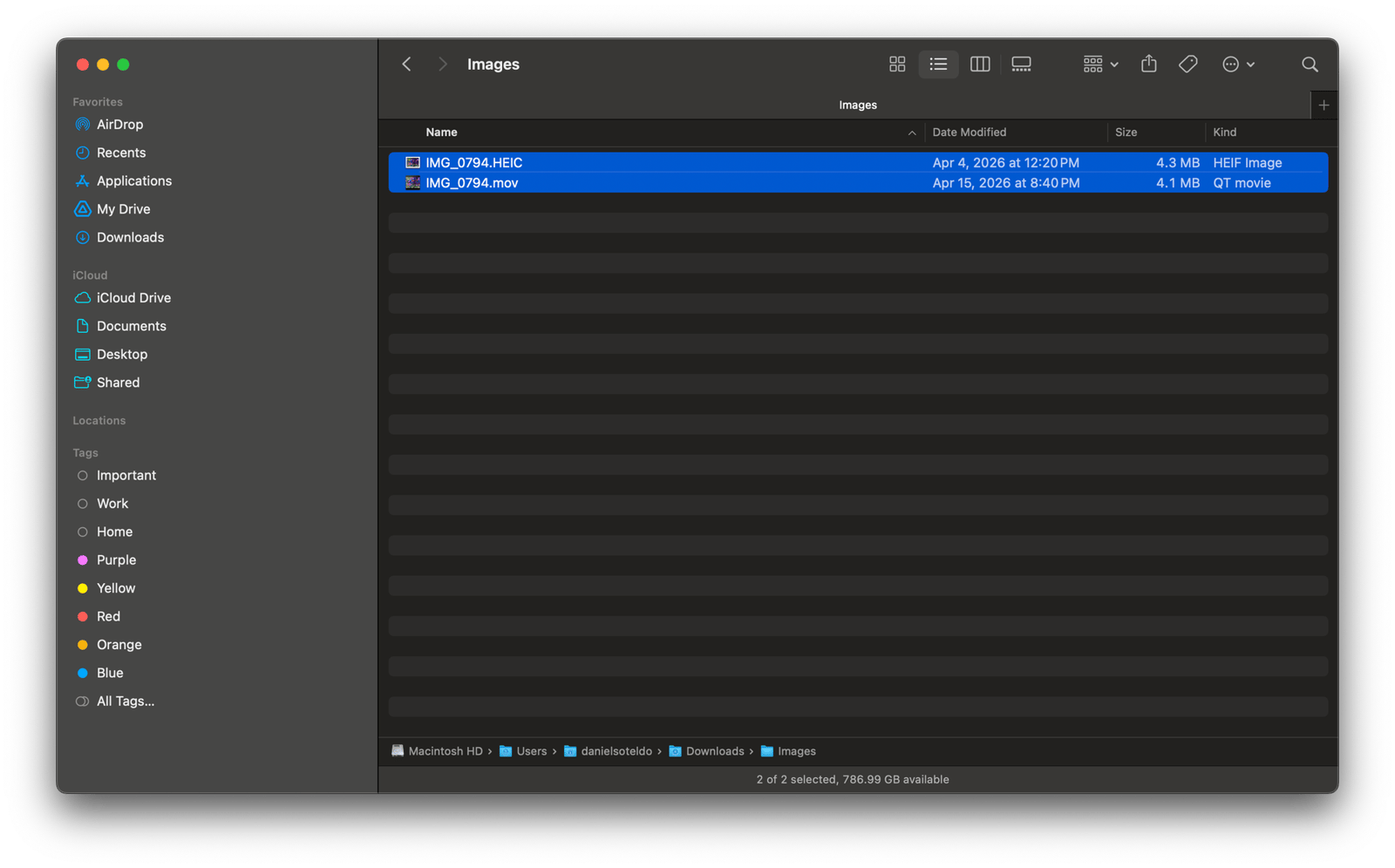
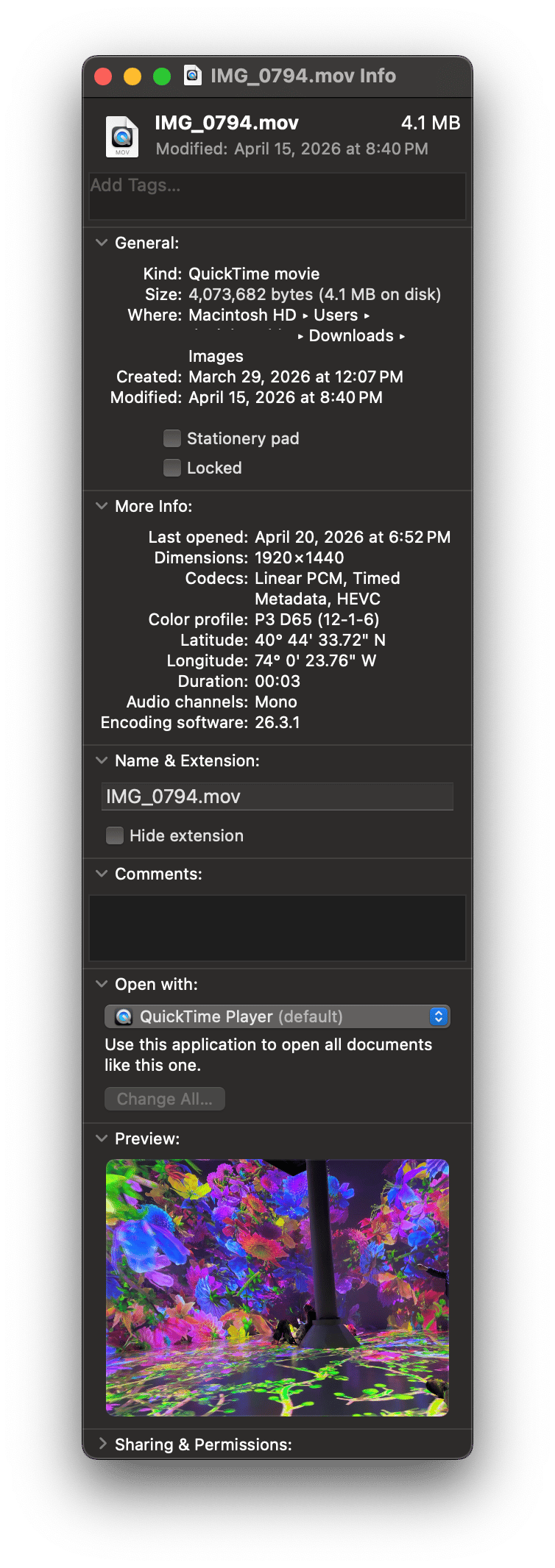
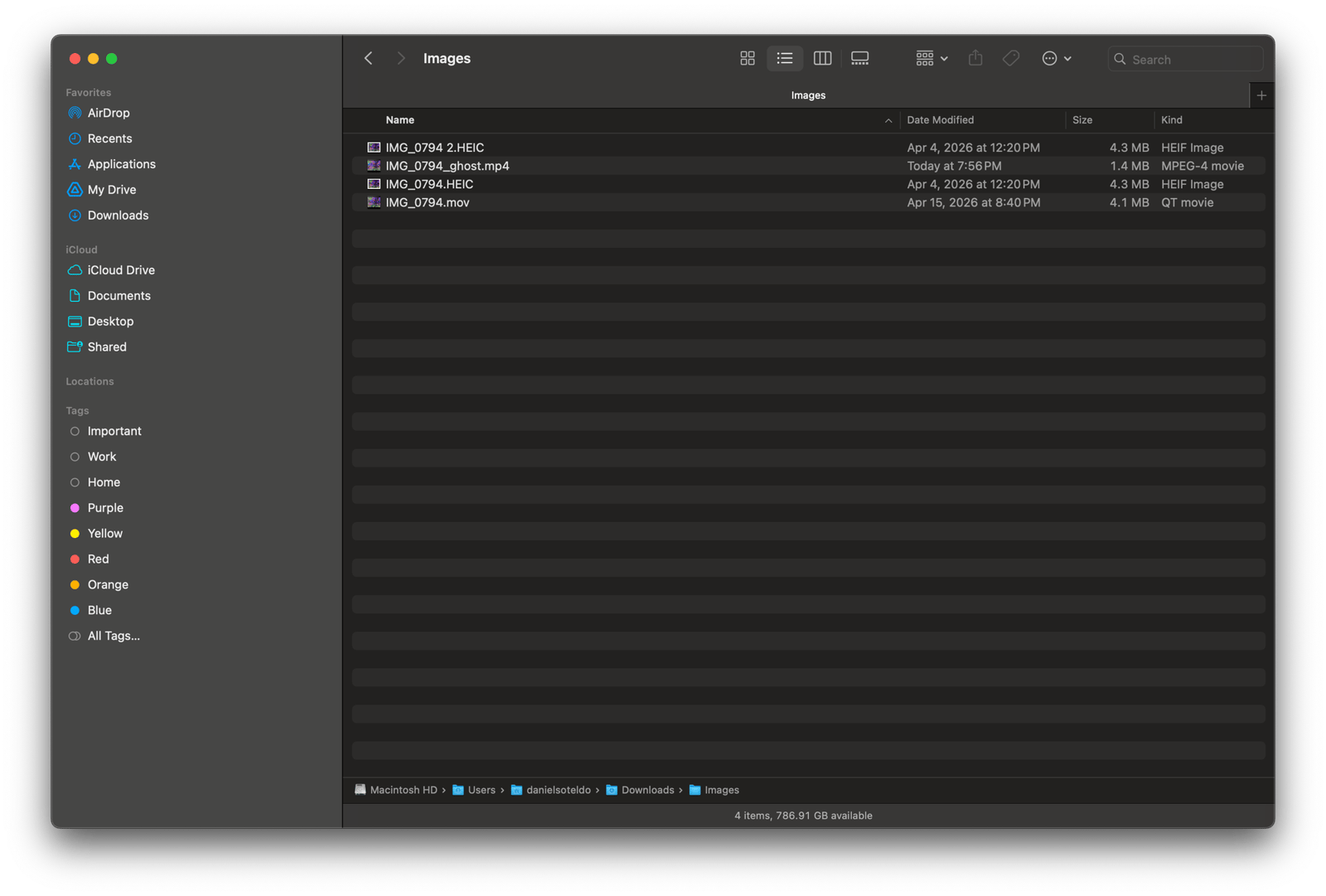
At the file level, a Live Photo is two files: a still HEIC image and a ~3-second MOV video clip. From an mac PC, you can Option-drag from the Photos app to a folder, and you get both and HEIC image (IMG_xxxx.HEIC) and short video (IMG_xxxx.MOV) side by side. A regular drag gives you only a JPEG. My goal was to figure out the queckest way to get the video component onto the page in a way that felt like a photo.
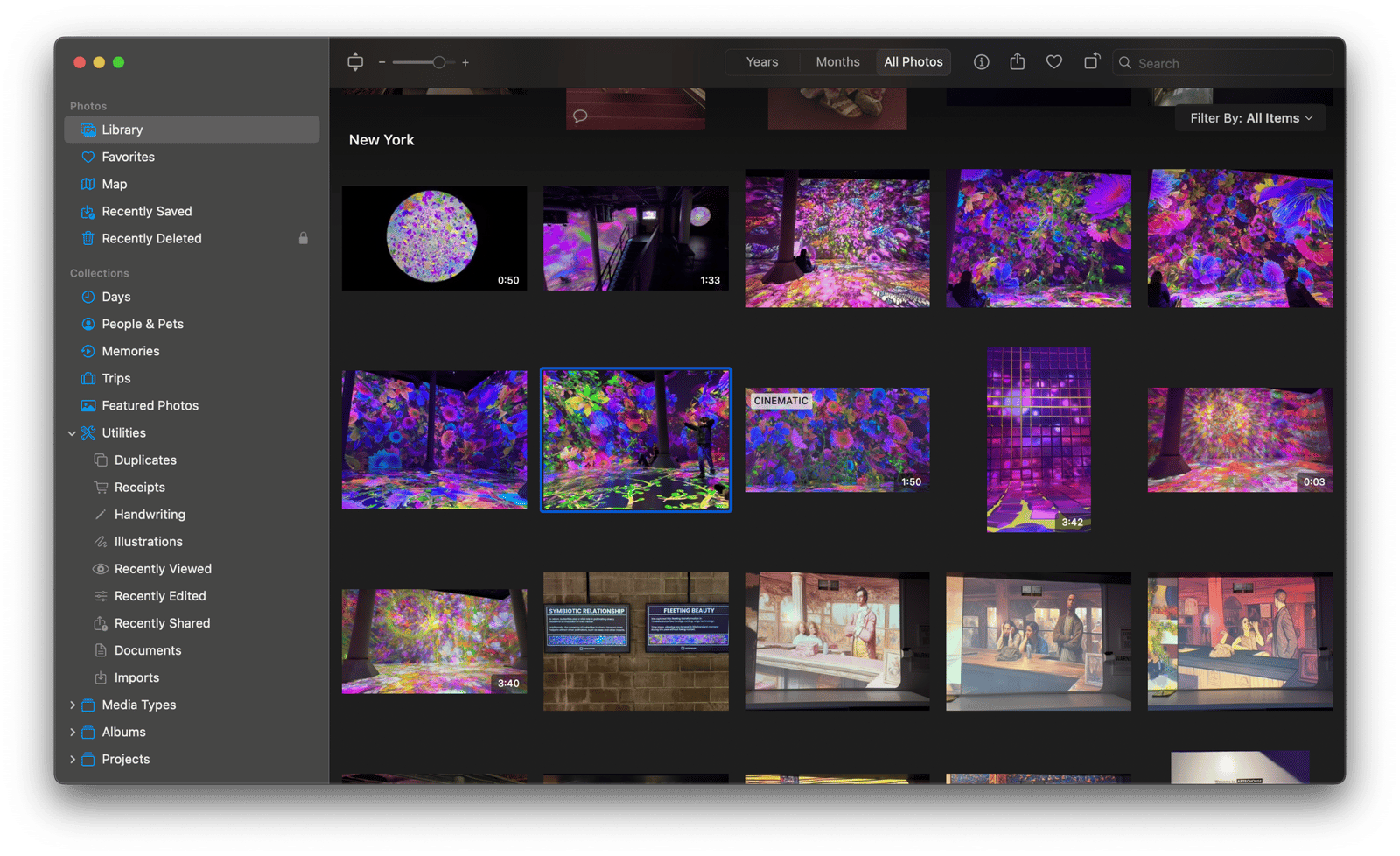
Here's what it looks like on the published site. The still image softens with a blur dissolve and comes alive as you scroll to it. No play button, no seek bar, no volume control. Hover and a ▶ LIVE badge fades in. Scroll away and it pauses. Scroll back and it replays. When the video ends, the poster fades back in before the last frame- no hard cuts. By toggling "Loop" on in Ghost's editor, the live photo will cycle with a few seconds of dwell between plays. If a reader has reduced motion enabled, they see a static frame.
Ghost won't do this for you
Ghost's image uploader rejects HEIC. There's no plugin system for custom card types- people have been asking for years. Additionally, Ghost has no media library for browsing uploaded files. When Ghost rebuilt its editor on Lexical in October 2023, it killed the one historical workaround — a custom extension cards hack that only worked with the old Ember editor.
I had Claude do deep research on what was available. A lot of approaches looked solid on first pass:
- Apple's LivePhotosKit JS — Released in 2017 for embedding Live Photos on the web. The npm package hasn't been updated since 2019. One developer called it "abandoned marketing fluff."
- The
live-photonpm package — Actively maintained, well-built, zero dependencies. Right tool for a custom front-end. Ghost's editor can't load npm packages. Ultimately incompatible. - n8n automation pipeline — iOS Shortcut → ffmpeg → Ghost API upload. Every piece worked except the last mile: Ghost's Admin API has no documented video upload endpoint. More infrastructure...
- ConvertX — Self-hosted file converter. Makes sense for a team, but overkill for a single user blog. Still more infrastructure...
- Direct MOV upload — Ghost's Video card only accepts MP4, WebM, and OGG.
What Ghost does have is a native Video card that accepts MP4 with custom thumbnails and a Loop toggle. Brandur Leach had documented a clean approach: convert the MOV, embed with a<video>tag, add autoplay attributes. I adapted that for Ghost's Video card, and the key insight was simple — I'd never upload a video under 5 seconds unless it was a Live Photo.
That meant Code Injection could use duration as the differentiator. Short clips become living photos automatically. Longer videos keep Ghost's normal player with controls. Zero decisions at authoring time.
The build
Three pieces, no dependencies between them including a conversion script, a header CSS, and a footer JS. Full source is on GitHub.
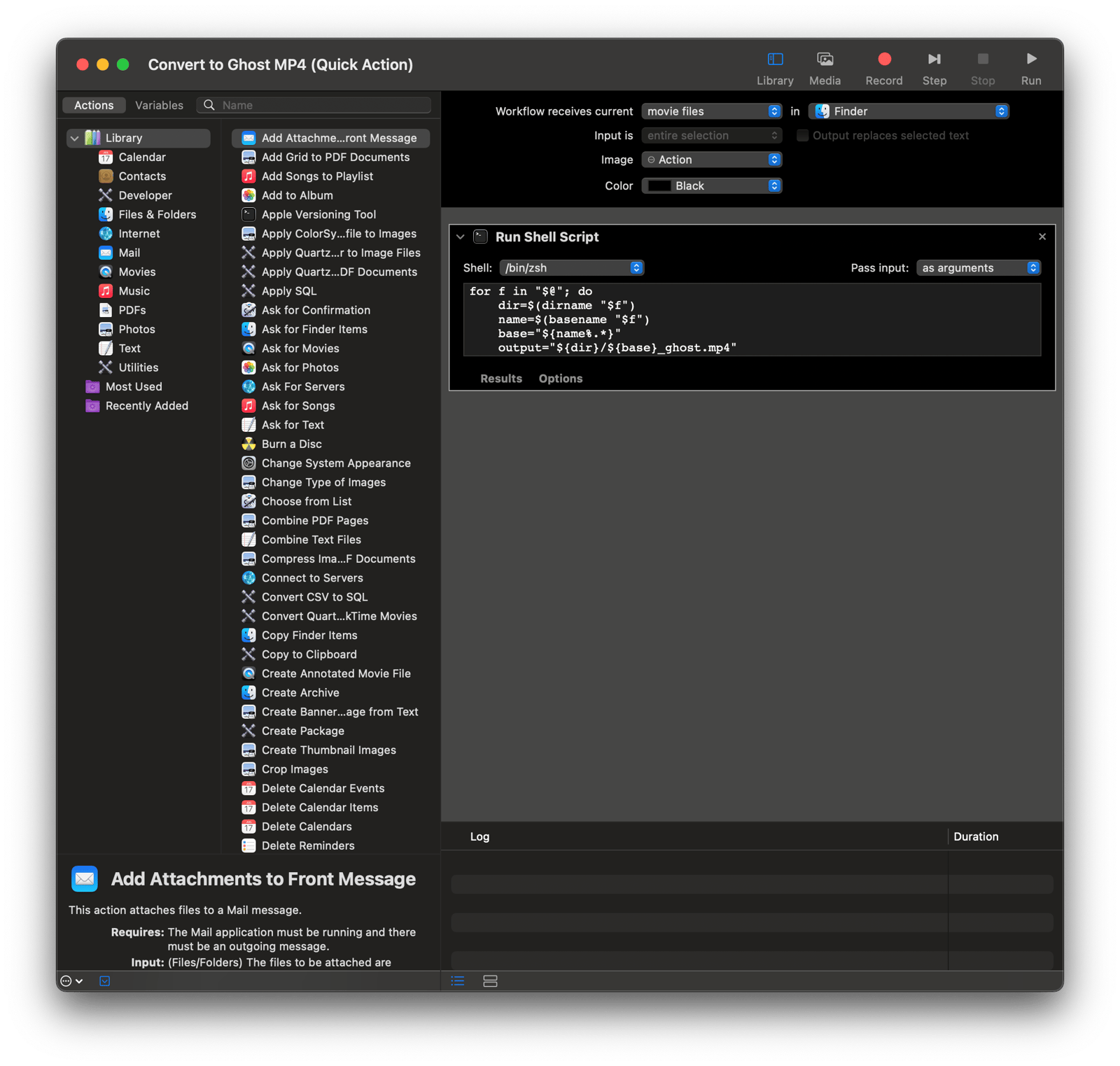
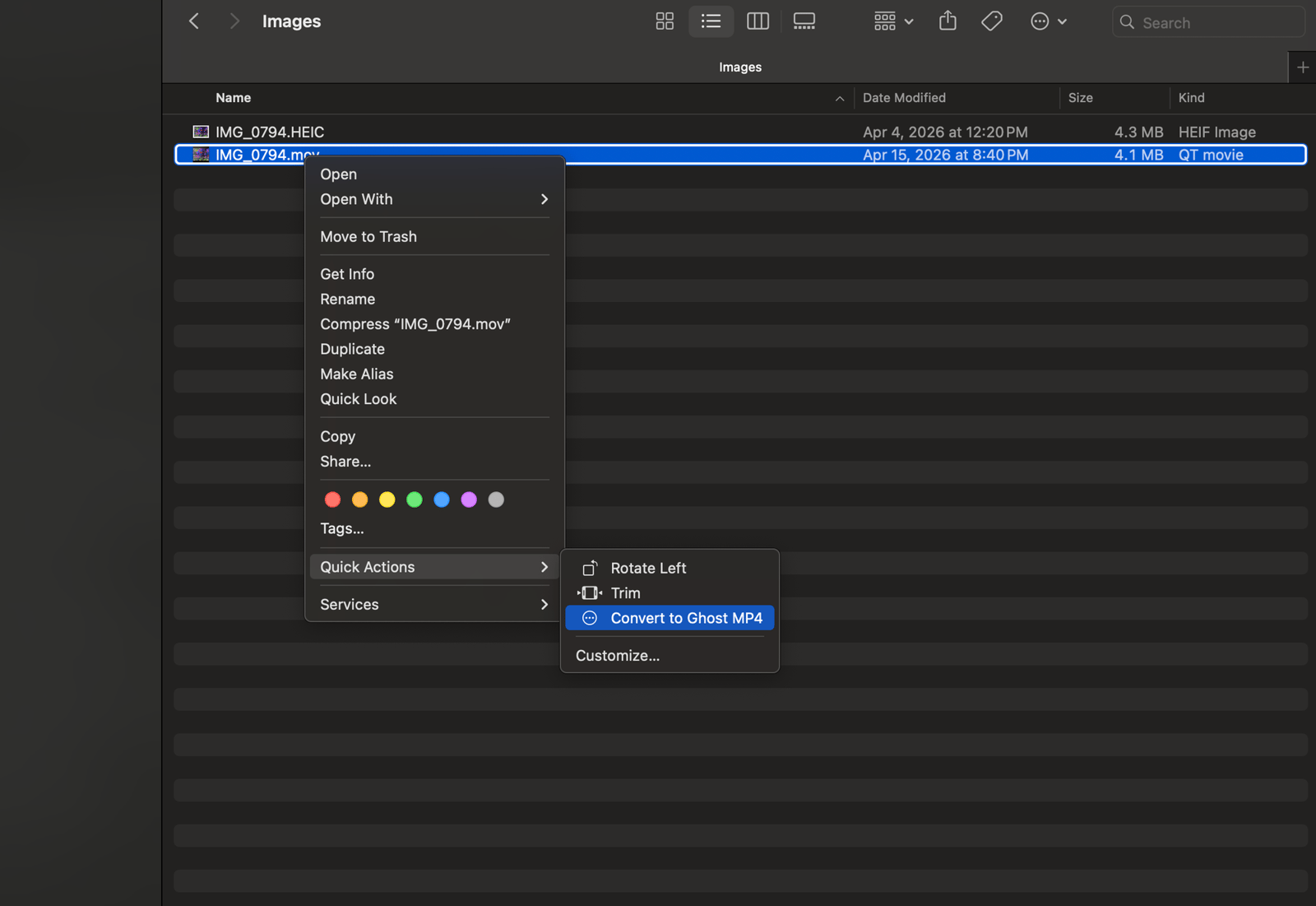
The conversion. I set up a macOS Automator Quick Action so I can right-click any .mov and convert it in place. Open Automator → New → Quick Action, set "Workflow receives current" to movie files in Finder, drag in a Run Shell Script action, set "Pass input" to as arguments, and paste:
for f in "$@"; do
    dir=$(dirname "$f")
    name=$(basename "$f")
    base="${name%.*}"
    output="${dir}/${base}_ghost.mp4"
    passlog=$(mktemp -d)/ffmpeg2pass

    /opt/homebrew/bin/ffmpeg -i "$f" \
        -an \
        -map_metadata -1 \
        -c:v libx264 \
        -b:v 4M \
        -pass 1 \
        -passlogfile "$passlog" \
        -pix_fmt yuv420p \
        -movflags +faststart \
        -f null /dev/null && \
    /opt/homebrew/bin/ffmpeg -i "$f" \
        -an \
        -map_metadata -1 \
        -c:v libx264 \
        -b:v 4M \
        -pass 2 \
        -passlogfile "$passlog" \
        -pix_fmt yuv420p \
        -movflags +faststart \
        "$output"

    rm -rf "$(dirname "$passlog")"
done
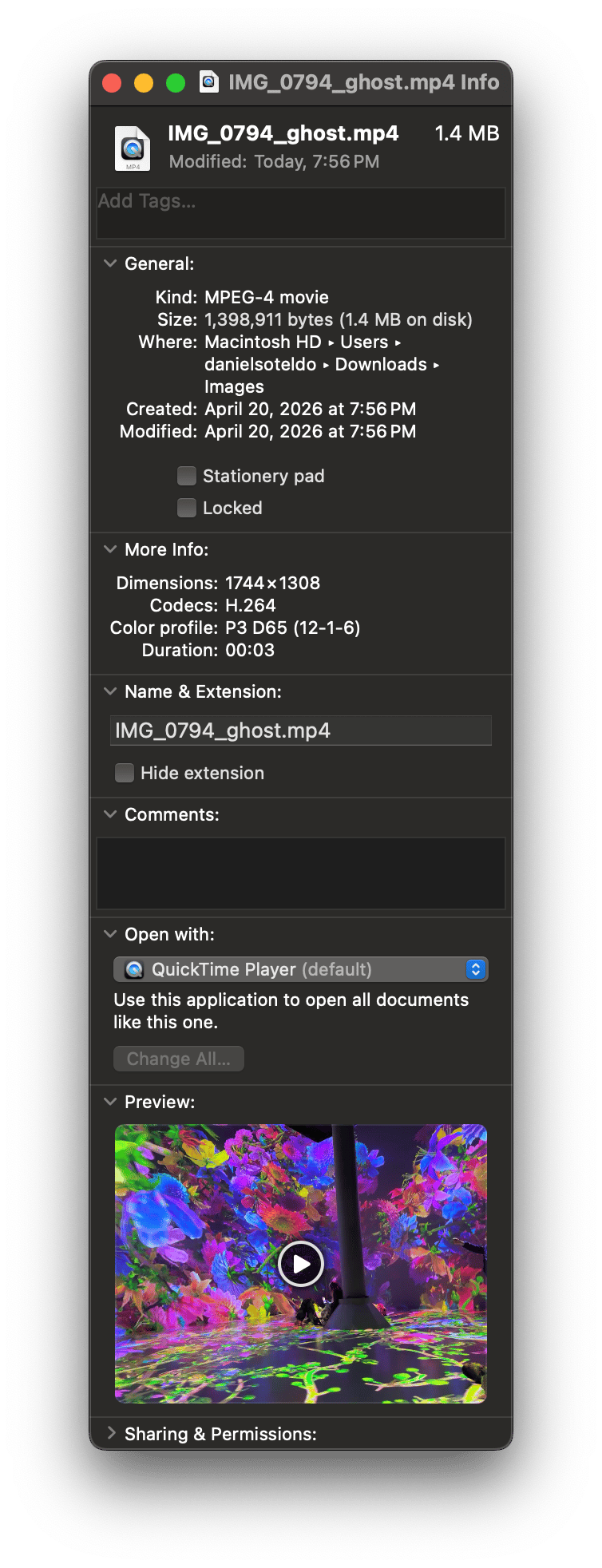
Save as "Convert to Ghost MP4." Option-drag a Live Photo from Photos.app to the desktop, right-click the MOV → Quick Actions → Convert to Ghost MP4. Two-pass H.264 at 4Mbps, audio stripped, -map_metadata -1 strips GPS coordinates and Apple device identifiers, faststart moves the moov atom for streaming. Output runs 500KB–1.5MB for a 3-second clip and encodes in 2–3 seconds. The full path to ffmpeg is required because Automator doesn't inherit your shell PATH.
The day-to-day workflow ends up being five steps: Option-drag from Photos.app, right-click to convert, drag the MP4 into a Ghost Video card, set a custom thumbnail (the JPEG from the same export), publish. Toggle Loop on if you want the clip to repeat. Code Injection handles the rest.
One note on Cloudflare: their CDN terms restrict video served outside their own services. For a personal blog with a few 3-second clips per post at 500KB–1.5MB each, this isn't a concern. For longer video, Ghost natively embeds YouTube.

The CSS. Pasted into Ghost's Site Header below existing branding CSS. When the JS adds a .live-photo class to a video card, this hides Ghost's player chrome:
/* Hide Ghost's custom player overlay and controls */
.kg-video-card.live-photo .kg-video-overlay {
  display: none !important;
}
.kg-video-card.live-photo .kg-video-player-container {
  display: none !important;
}
There's also a ▶ LIVE badge — a ::after pseudo-element with backdrop-filter: blur(8px) and an opacity transition on hover. prefers-reduced-motion changes the badge to "PHOTO."
The JS. Pasted into Ghost's Site Footer. Two IntersectionObservers split the work:
// Preload observer — starts download one viewport height before visible
var preloadObserver = new IntersectionObserver(function (entries) {
  entries.forEach(function (entry) {
    if (entry.isIntersecting) {
      entry.target.setAttribute('preload', 'auto');
      preloadObserver.unobserve(entry.target);
    }
  });
}, { rootMargin: '100% 0px', threshold: 0 });

// Play observer — plays when 50% visible, pauses when scrolled away
var playObserver = new IntersectionObserver(function (entries) {
  entries.forEach(function (entry) {
    var video = entry.target;
    if (entry.isIntersecting) {
      video.currentTime = 0;
      video.play();
      fadeOutOverlay(video._livePhotoRefs.overlay);
    } else {
      video.pause();
    }
  });
}, { threshold: 0.5 });
Videos start with preload="none" — they don't download on page load. As the reader scrolls toward one, the preload observer fires first (its margin is larger) and starts the download. By the time the play observer fires, the video is buffered.
The crossfade uses the Web Animations API. A poster overlay image sits on top of the video permanently and animates between opacity: 1 and opacity: 0 with a 6px blur dissolve over 350ms. Both transitions are fully inset — the video plays simultaneously while the overlay dissolves, so no time is added. When playback ends, timeupdate triggers the fade-in during the final 350ms, so the motion gradually freezes into the still.
For looping, the script detects Ghost's loop attribute before stripping it, then manages the cycle: video ends → poster fades in → 4-second dwell on the still → crossfade out → replay. Scroll away and the dwell timeout cancels. Scroll back and a fresh cycle starts. A 3-second clip runs about 7.7 seconds per cycle.
Ghost's poster attribute on video elements is a transparent spacer GIF, not the actual thumbnail. The real URL lives on the <figure> element as data-kg-custom-thumbnail. The crossfade was working correctly the entire time I was debugging it — I was just animating an invisible image. The fix was one line.
Video doesn't work in email clients. Ghost includes a fallback static frame in email versions of posts. That's an email limitation, not something the implementation can address.
The effect only appears on the published page, not in Ghost's editor — Code Injection runs on the front-end, not in admin. In the editor you'll see Ghost's normal video player with controls.
Debugging Safari on Coolify
This section is specific to my stack: Ghost on Coolify behind Cloudflare. If you're not running Coolify, you can skip this. If you are, and Safari won't play your video, this is probably why.
The implementation worked immediately in Chrome and Firefox. Safari played nothing. No error, no fallback — frozen frame.
The iPhone's MOV files use HEVC (H.265), and Safari has a history of being particular about HEVC in MP4 containers. Apple's codec requirements specify particular profiles, color spaces, and bitrate limits. The exported MOVs had full-range DCI-P3 color, frame cropping side data, and a 150fps timebase. All of that looked like the problem. I went deep on ffmpeg — explicit color conversion, resolution scaling, CRF 10, -preset placebo, manual x264 params. The files played perfectly in localhost. Through the production stack, Safari still refused.
The curl told the story:
curl -I -H "Range: bytes=0-1" https://infer.blog/content/media/example.mp4

HTTP/2 200          ← should be 206 Partial Content
Content-Encoding: gzip
ETag: W/"7ffeda-..."  ← weak ETag
                    ← no Accept-Ranges, no Content-Range, no Content-Length
Safari sends Range: bytes=0-1 as a probe before playing video. It expects 206 Partial Content with proper range headers. It got 200 with gzipped content and no range support. Chrome tolerates this. Safari doesn't.
The codec was never the problem. Coolify's Traefik reverse proxy applies gzip compression to every content type including video/mp4. Traefik's compress middleware strips range response headers, breaking byte-range support. This is a filed Coolify bug.
The obvious fix — excludedContentTypes on the gzip middleware — doesn't work because Coolify auto-generates Traefik labels and silently strips custom ones on every restart. The middleware is per-container via Docker labels (gzip@docker), and Traefik's provider namespacing means a file-based override is a separate middleware no router references.
The fix: a Traefik Dynamic Configuration that creates a higher-priority route for /content/media/ with no middlewares. Media bypasses gzip. Everything else still gets compressed.
# Coolify → Servers → Proxy → Dynamic Configurations → ghost-media-no-compress.yaml
http:
  routers:
    ghost-media:
      rule: "Host(`infer.blog`) && PathPrefix(`/content/media/`)"
      service: ghost-media-service
      entryPoints:
        - http
      priority: 100
  services:
    ghost-media-service:
      loadBalancer:
        servers:
          - url: "http://ghost-yk2azizo7ulg8hr3e05sfl9l:2368"
With that in place, the original HEVC remux played perfectly in Safari. Every hour I'd spent on ffmpeg encoding parameters was debugging the wrong layer.
Same approach as the branding CSS and the image optimization Worker: Ghost stays stock, customization lives in Code Injection, everything is version-controlled independently. One note for anyone doing research with AI — always verify against primary documentation. Several approaches in this project sounded plausible but weren't grounded in how Ghost actually works. The docs catch what intuition misses.
Claude helped build the implementation, co-wrote this post, and co-debugged the Safari and crossfade rendering issues across multiple sessions. I directed the investigation, made the architecture decisions, and did the final edit.
Daniel Soteldo is COO and Co-Founder of Revelus Dermatology in Austin, TX.